now available for our imaging components

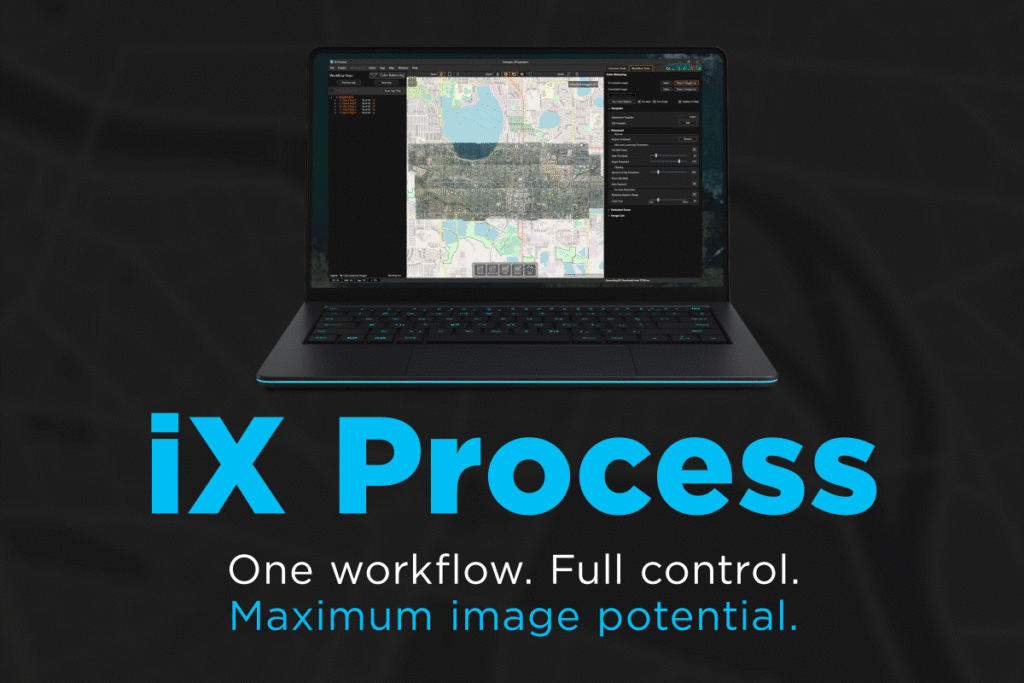
iX Process

One workflow. Full control. Maximum image potential.

iX Process now available for components

iX Process is an integrated software solution that enables instant project visualization, advanced radiometric adjustments, and seamless photogrammetry integration. Fully leveraging the IIQ format, it helps imaging teams work faster, maintain data integrity, and extract maximum value from their hardware investments.

Mapping teams deal with fragmented tools, slow review cycles, inconsistent radiometric adjustments, and inefficient data handling — making projects more complex and time‑consuming.

iX Process unifies review and radiometry in one environment. Immediately after import, the entire project is visualized as a single combined result, enabling instant filtering, condition analysis, and best‑in‑class radiometric adjustments. Teams move from acquisition to actionable decisions faster and with greater confidence.
 

Webinar: Simplify your mapping workflow with iX Process for components — live demo & beta user insights

Hear directly from beta users who have already shortened review cycles and improved processing efficiency.

In this session, our experts will demonstrate how to:

  • Streamline your review workflow
  • Apply advanced IIQ-powered radiometry
  • Accelerate downstream processing

Instant project visualization and review

See and analyze your entire project immediately after import. 

Unlock the full value of our Intelligent Image Quality (IIQ) format

Best-in-class radiometry with seamless photogrammetry integration. 

Maximize your hardware investment

Advanced radiometric capabilities and integrated workflows.

We’ve seen around a 70% reduction in processing time, with far less manual intervention and more consistent results across the entire dataset. iX Process turns radiometric correction from a hands-on task into a scalable process.
Andrés Vásquez

CEO, Aeroestudios

Key benefits

Instant project visualization and review

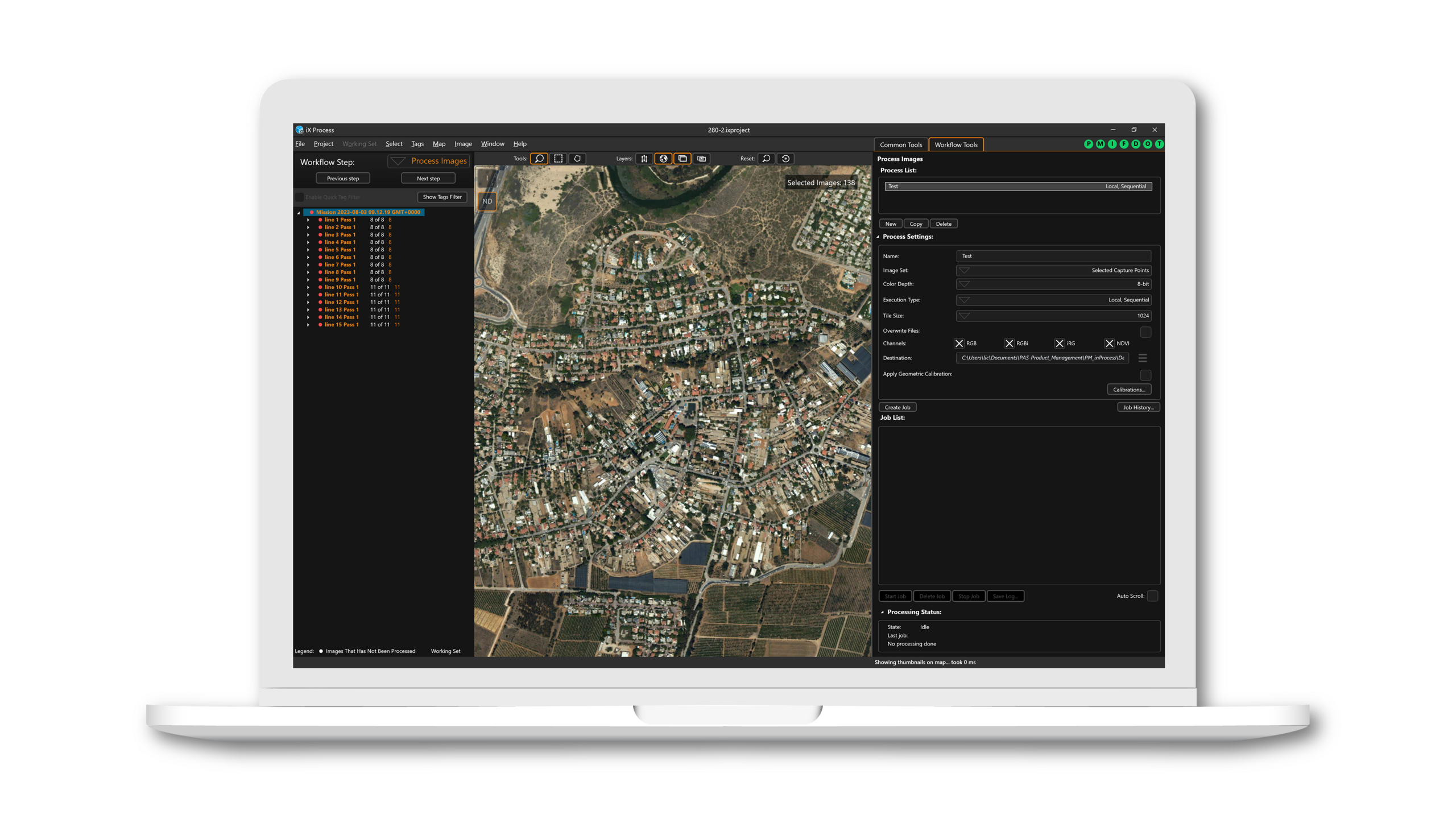
iX Process enables users to see their complete project directly after import — no waiting and no fragmented tools. Data is visualized as one combined result on the map for immediate review, filtering, and analysis. Users can identify issues early, understand acquisition conditions, and make radiometry adjustments with instant visual feedback. This reduces rework and simplifies workflows significantly.

IIQ-X icon: up to 90% smaller files for aerial mapping workflows

Unlock the full value of IIQ

iX Process leverages the rich information of the IIQ format to enable superior radiometric adjustments without altering raw data. Users benefit from smaller file sizes, reduced storage needs, and faster data transfers. Radiometric corrections carry seamlessly into downstream photogrammetry workflows for consistent, efficient processing.

Maximize your hardware investment

iX Process helps customers get the highest value from their imaging components. With advanced radiometric capabilities and integrated workflows, the software enhances hardware performance over time and increases ROI — without requiring additional hardware upgrades.

Feature highlights

Advanced radiometric control

• Automatic color balancing on nadir images
• Full‑resolution radiometry adjustments
High‑precision project review

• Tree‑view image management
• Projected map visualization
• High‑resolution image inspection

Intelligent image organization

• Grouping by content or position
• Annotation for QC and collaboration

Operational & QA automation

• Automatic corrupted‑image detection
• Overlap/attitude calculation vs. planned flight requirements
• Administrative reporting tools


Integration & workflow outputs

• Multi‑band exports
Pre‑flight and refly planning
• Distortion correction at export
• 8‑ or 16‑bit TIFF export; tiled/untiled
• Multi‑band export (RGB, RGBi, iRG/CIR)
• 8-bit JPEG export, variable compression


  • Advanced radiometric control

    Advanced radiometric control

    • Automatic color balancing on nadir images
    • Full‑resolution radiometry adjustments

  • High‑precision project review

    High‑precision project review

    • Tree‑view image management
    • Projected map visualization
    • High‑resolution image inspection
  • Intelligent image organization

    Intelligent image organization

    • Grouping by content or position
    • Annotation for QC and collaboration
  • Operational & QA automation

    Operational & QA automation

    • Automatic corrupted‑image detection
    • Overlap/attitude calculation vs. planned flight requirements
    • Administrative reporting tools


  • Integration & workflow outputs

    Integration & workflow outputs

    • Multi‑band exports
    Pre‑flight and refly planning
    • Distortion correction at export
    • 8‑ or 16‑bit TIFF export; tiled/untiled
    • Multi‑band export (RGB, RGBi, iRG/CIR)
    • 8-bit JPEG export, variable compression


Talk to an expert